Aomark Suite 2.0.0 · Updated September 26, 2026
Connect the WordPress site to Aomark first, then authorize Google Search Console and choose the matching property in Hub.
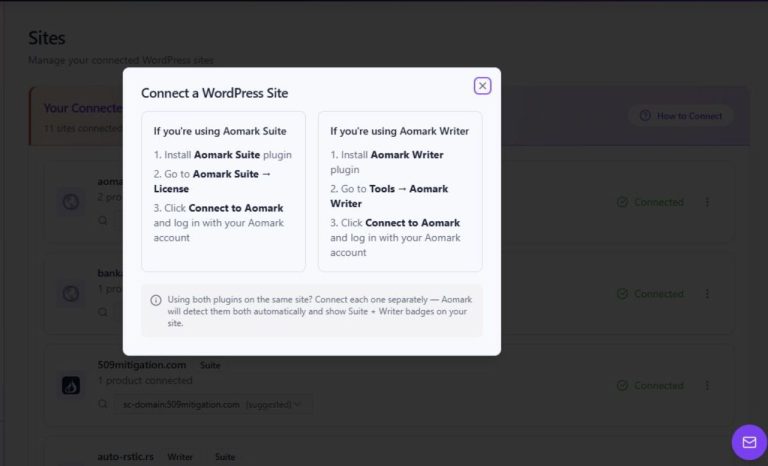
Connect the site to Aomark
In WordPress, open Aomark Suite → Settings → Account and connect the site if it is not already connected. This authorizes the site with Aomark; it is not the Google authorization.
- Open Aomark Suite → Settings → Account.
- Connect the site to Aomark if the account screen shows it is disconnected.
- Return to Search Console setup only after the Aomark site connection is established.
Authorize Google in Hub
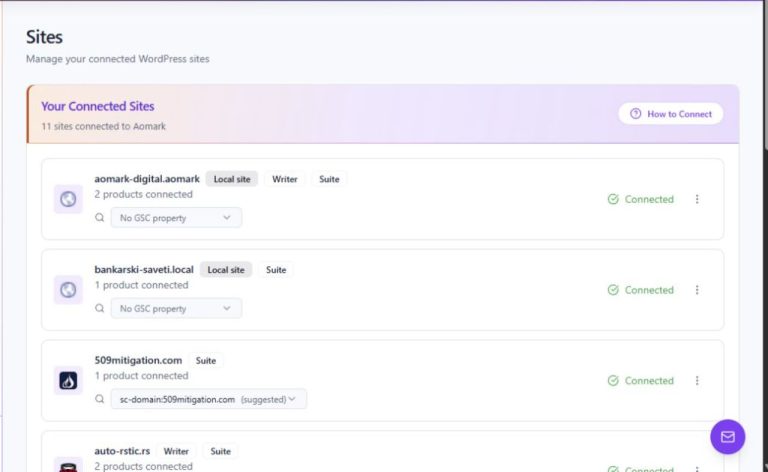
Open the Aomark Hub dashboard for the same site. Start the Google Search Console connection, sign in to the Google account that has access to the property, approve the requested access, and select the property whose verified URL or domain matches this site.
- Open the connected site's Aomark Hub dashboard.
- Start the Google Search Console connection and sign in to an account with access to the site property.
- Approve the requested connection and select the matching URL-prefix or domain property.
Confirm the selected property
Return to Aomark Suite → Settings → Search Console and follow the link to Hub to review the connection and property. If data is missing, check that the selected Google account can access the exact property and that the property contains data for the date range. Connecting does not submit or publish content.
- Open Settings → Search Console and follow Open Hub Dashboard.
- Confirm the connected Google account and exact selected property.
- Check the date range and property access before troubleshooting a blank report.