AOMARK SUITE · WORDPRESS SEO
Your on-page SEO workflow, inside WordPress
Aomark Suite helps you generate, review and apply on-page SEO outputs without moving between separate tools for every task. Use it to work on titles, descriptions, structured data, images and internal links.
- Generate titles, descriptions, schema and FAQs.
- Improve images and discover relevant internal links.
- Review every change before you apply it.
One WordPress workflow. Your judgment stays in the loop.
BUILT FOR WORDPRESS
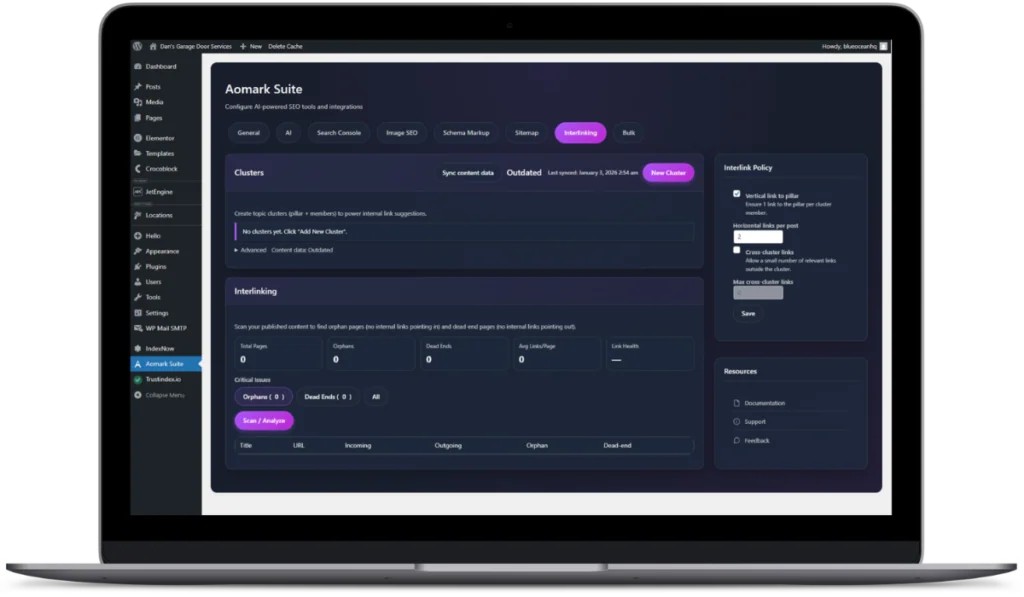

Generate. Review. Apply.
Clear changes, with you in control.
Metadata
Schema & FAQs
Image SEO
Internal links
Bulk workflows
INSIDE THE TOOLKIT
Generate the output.
Keep the review.
Use AI to prepare SEO outputs, then check that they fit the page, the audience and the facts. Review remains part of the workflow before you apply changes.
ONE DASHBOARD. CONNECTED TOOLS.
Less switching.
More useful work.
Keep page context, generated outputs and your final review together inside WordPress.

Titles and meta descriptions
Prepare search-focused page titles and descriptions, then refine them for accuracy and clarity.

Schema and FAQs
Generate structured data and useful questions from the page context. Review the output against the visible content before applying it.

Image SEO
Support image renaming and alternative-text work. Descriptions still need to match the image and its purpose on the page.

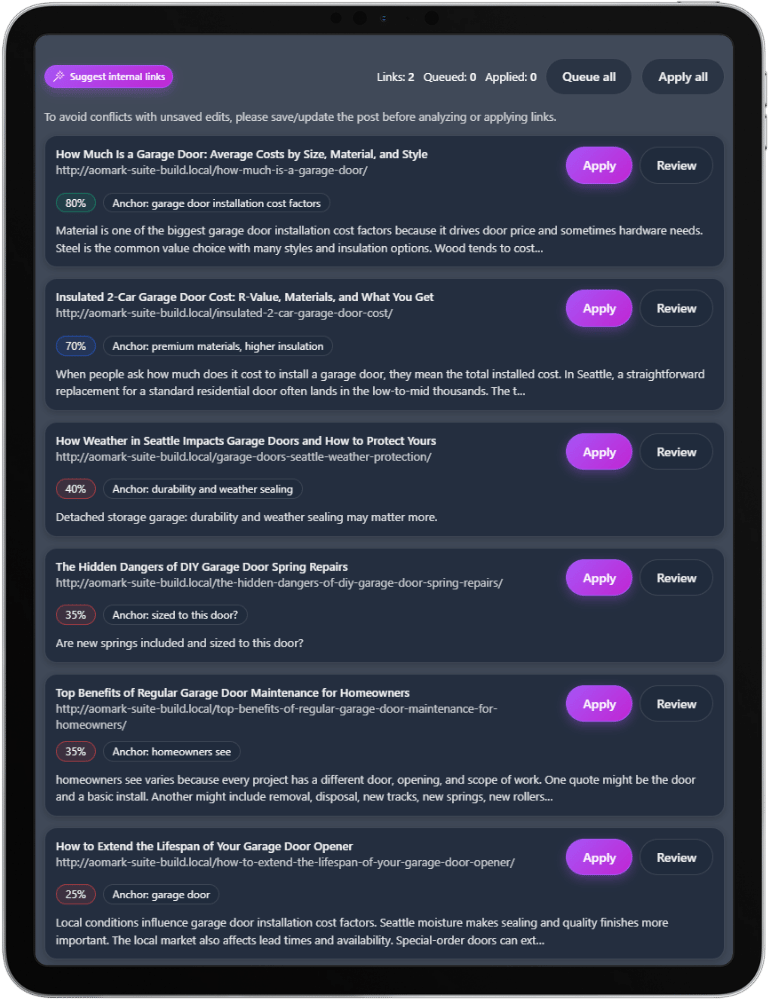
Internal linking
Find and review relevant linking opportunities across your content. Choose links that help readers move to a useful next page.
Sitemaps
Manage XML and RSS sitemaps as part of the website’s discovery setup.
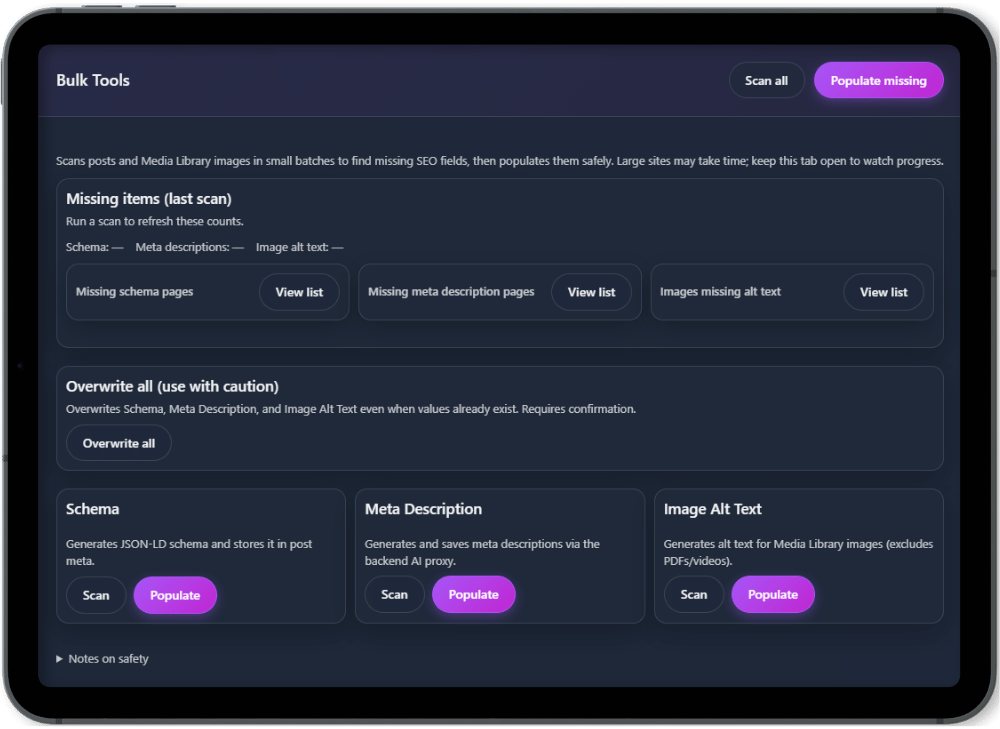
Bulk workflows
Use the available bulk tools when you need to work across more pages. Plan limits and credit use are explained in the plans below.
WORK ACROSS YOUR SITE
INSIDE WORDPRESS
Designed for the way you work.
Review Before You Apply
Every output is editable. You stay in control of what changes on your site, with a clear before/after workflow.
Built for Scale
Handle single pages or bulk work with the tools available in your plan. Standardize meta, schema, FAQs, images, and internal links without repetitive manual edits.
WordPress-Native Integration
Works with Gutenberg and Classic Editor workflows, so you can optimize content without leaving WordPress or breaking formatting.
A CLEAR WORKFLOW
Install. Connect. Optimize.
01
Install the plugin
Upload Aomark Suite, activate it, and pick the modules you want to run first.
02
Connect your account
Securely connect your site to your Aomark account so features and usage stay tied to your plan.
03
Generate and review
Create meta descriptions, schema, FAQs, image alt text, and internal links. Edit anything before it touches your site.
04
Apply and improve
Apply the changes you approve. Use the available bulk tools when you are ready to work across the site.
Follow the installation and account connection tutorial or browse all product tutorials.
Pricing
Plans that scale with your sites
Compare monthly credits and available tools, then choose the plan for your workflow.
Starter
For solo site owners who want a fast, clean on-page workflow.
$15/ Month
Start Subscription- Unlimited WordPress sites with an active Aomark subscription
- 600 credits / month
- Meta Descriptions
- Schema Generator
- FAQ Generator
- Image SEO (rename + alt text)
- Sitemaps
- Internal Linking
- Review before apply
- Bulk tools
Pro
For growing sites and content teams that need speed and bulk workflows.
$49/ Month
Start Subscription- Unlimited WordPress sites with an active Aomark subscription
- 2,400 credits / month
- Everything in Starter
- Bulk tools (higher monthly volume)
- Higher limits + faster queue
- Priority support (email)
Agency
For client work and portfolios with standardized outputs.
$149/ Month
Start Subscription- Unlimited WordPress sites with an active Aomark subscription
- 7,200 credits / month
- Everything in Pro
- Advanced bulk controls
- Team usage tracking (basic)
- Priority support
BETTER TOGETHER
Suite or SEO Writer?
Suite supports on-page work for your WordPress content. Aomark SEO Writer creates an article package from a keyword or content plan. You can use the products for different stages of the same workflow.
WHEN YOU NEED A TEAM
Connect the tools to a wider strategy.
Need a team to plan and implement the wider strategy? Explore our managed SEO services and connect technical work, content and reporting.
A LITTLE MORE CLARITY
Common Suite questions
Review & search results
Does generated output need checking?
Yes. Check facts, page relevance, links, image descriptions and structured data before applying changes.
Will schema or FAQs guarantee a search feature?
No. Generated markup and FAQ content do not guarantee rankings or a particular search appearance.
Sites & your account
Can I use Suite across multiple WordPress sites?
The current paid plans include unlimited WordPress sites with an active Aomark subscription. Usage is governed by the selected plan and its credits.
Where do I manage my account?
Use the existing Aomark dashboard. The marketing website and application have separate roles.
LET’S FIND THE RIGHT FIT
Make Suite fit your workflow.
Tell us about your WordPress setup, the pages you manage and the tasks you want to simplify.
Already using Aomark? Open your dashboard or email contact@aomark.io.