Aomark Writer · Updated September 28, 2026
Use the Quality tab's Run Audit action as an editorial SEO check, then review its actual results before changing the article.
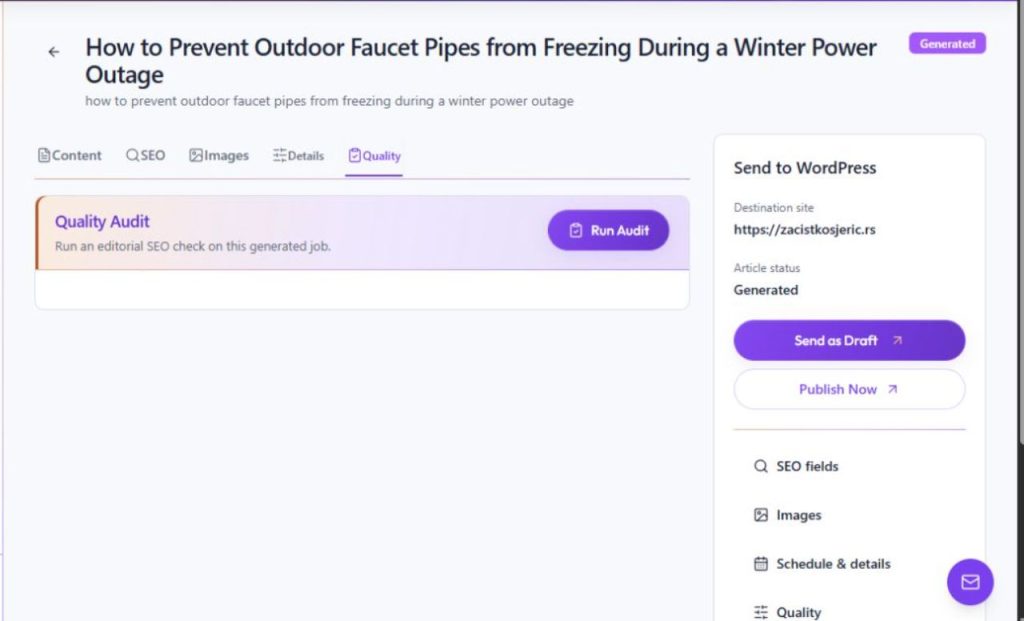
Open the article audit
In Review, select Quality and choose Run Audit to request an editorial SEO check on the generated job. Read the findings displayed for that article; the audit is a review aid, so use the article and its brief to decide what to change.
- Open the generated job's Quality tab.
- Choose Run Audit when you are ready to request a check.
- Wait for the Hub to display the result.
Use findings as review prompts
Read the actual findings and compare each one with the article and its brief. Check accuracy and reader value before changing content; an audit suggestion is not evidence that a statement is true or that an automated change is appropriate.
- Open each displayed finding and locate the relevant passage.
- Verify suggested facts against reliable source material and the article's purpose.
- Make only the corrections you approve, then review and save the article.