Aomark Hub · Updated September 28, 2026
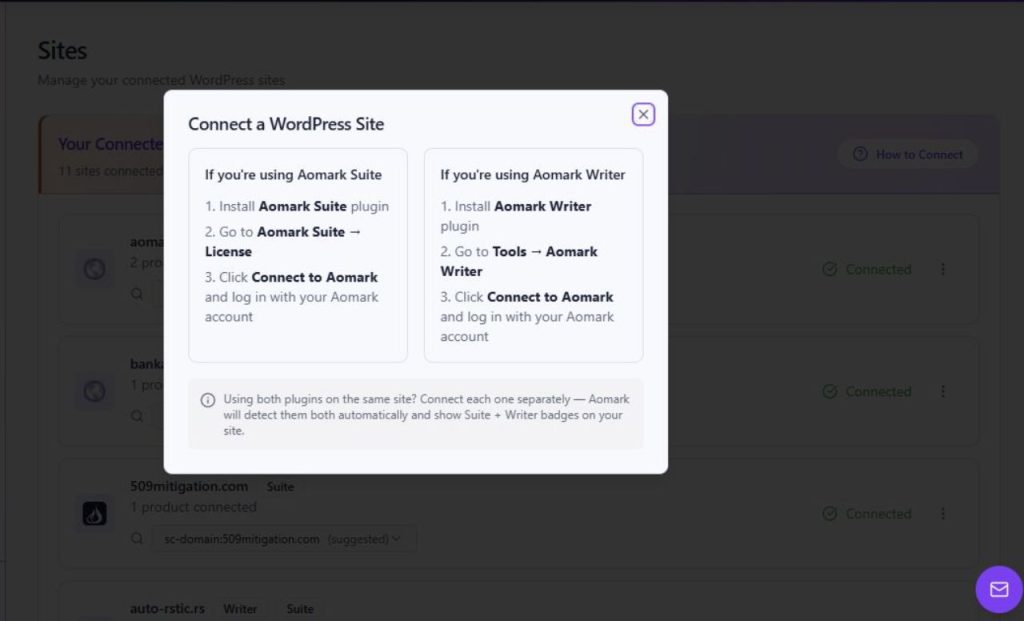
Use the Sites page's How to Connect modal to follow the connection steps for Aomark Suite or Aomark Writer.
Open the connection instructions
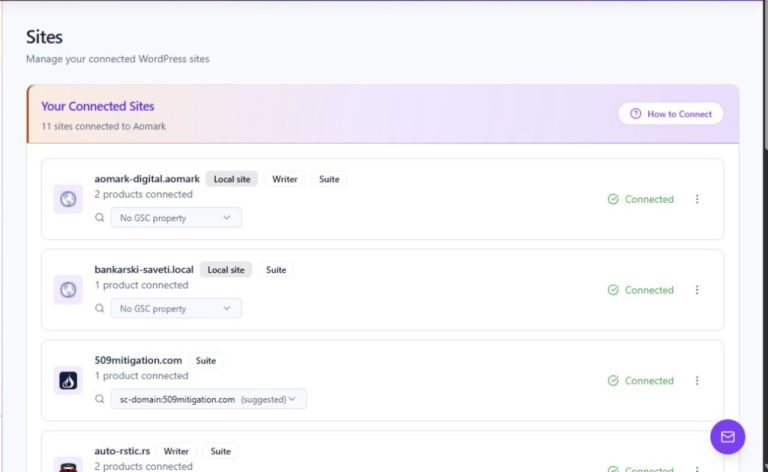
The How to Connect modal on Sites describes how to connect a WordPress site through either Aomark Suite or Aomark Writer. It provides plugin-specific steps; use the instructions for the plugin installed on the site.
- Open Sites in Aomark Hub.
- Choose How to Connect to read the available plugin instructions.
- Follow the instructions for the plugin you use on the WordPress site.
Follow the matching plugin path
For Aomark Suite, the modal directs you to install Aomark Suite, open Aomark Suite → License in WordPress, choose Connect to Aomark, and sign in. For Aomark Writer, it directs you to install Aomark Writer, open Tools → Aomark Writer, choose Connect to Aomark, and sign in. A site using both products connects each plugin separately. The connection steps are presented by the modal; check Sites afterward for the resulting Connected state.
- For Suite, use Aomark Suite → License and choose Connect to Aomark.
- For Writer, use Tools → Aomark Writer and choose Connect to Aomark.
- Sign in when prompted, then return to Sites and check the site's Connected badge.