Aomark Hub · Updated September 28, 2026
Connect a WordPress site, find its Writer workspace, and take a generated article through editorial review in Hub.
Connect the WordPress site
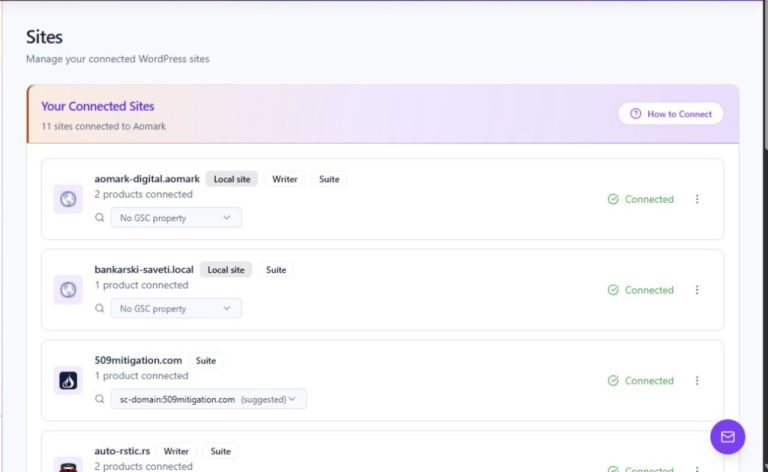
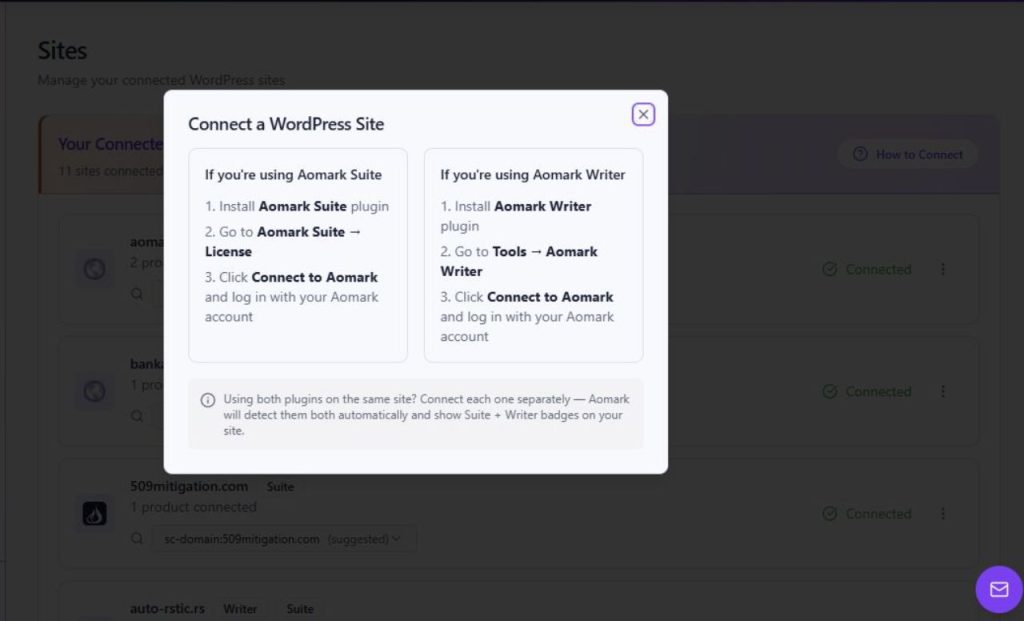
Aomark Hub is the place to find connected sites and open product workspaces. Start on Sites and use How to Connect for the plugin instructions. The modal describes separate connection paths for Aomark Suite and Aomark Writer; a site using both products connects each plugin separately. After following the relevant instructions, return to Sites and confirm that the site's card shows Connected and the Writer badge.
- Open Sites and read How to Connect.
- Follow the Writer path in the modal: install Aomark Writer, open Tools → Aomark Writer, choose Connect to Aomark, and sign in.
- Return to Sites and check the site's Connected state and Writer badge.
Open the Writer workspace
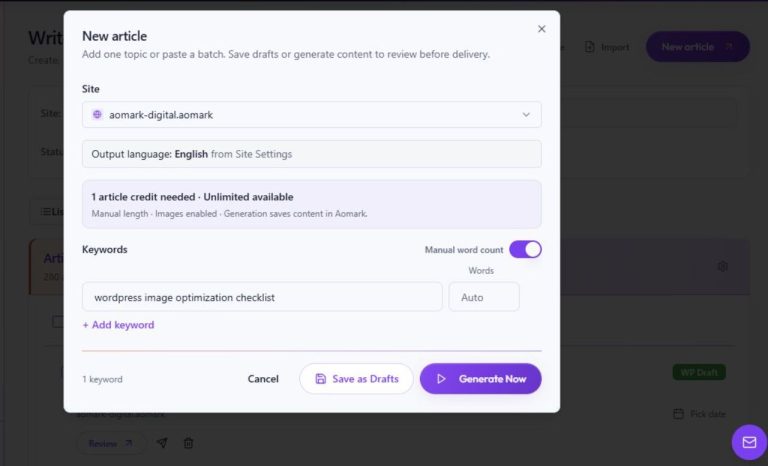
From Overview, Open Writer takes you to the Writer workspace. The overview also summarizes Drafts and Scheduled jobs and highlights articles ready for review. For a new article, follow the separate Create article drafts in Writer tutorial for the New article dialog and its available choices; this guide focuses on how the Hub leads into review.
- Open Overview and choose Open Writer.
- Use the Writer site selector to choose the connected site for the work.
- Create or locate the intended job using the Writer workflow that fits your task.
Find a generated article ready for review
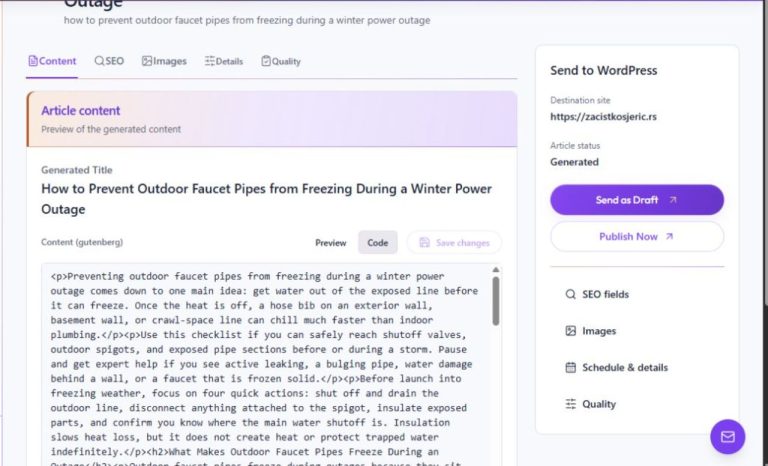
The Hub Overview's content workflow links to articles ready for review and provides Review next or Review. You can also find a job in Writer. Open the intended job and check its site and current state before editing. The separate Review and edit generated article content tutorial covers the article editor and saving content changes.
- Return to Overview and open a Review link, or locate the job in Writer.
- Confirm that the job and selected site are the ones you intended.
- Read and edit the article in its Review screen, then save your approved corrections.
Complete the review before delivery
Review the article against its purpose and source material. Check important claims, names, numbers, links, and qualifications, then inspect the article's SEO fields and Details when relevant. Writer provides separate tutorials for editing SEO fields, reviewing article details, and sending an article as a WordPress draft. Generation and review are distinct from delivery, so choose a delivery action only after the article and destination are ready.
- Check the full article for accuracy, clarity, and omissions.
- Review SEO and Details using the relevant Writer tutorials when needed.
- Choose a WordPress delivery outcome only after confirming the destination and completing editorial review.
Use Hub to return to the right place
Overview links summarize the next areas of work: review-ready articles, Writer queues, connected sites, and product credits. Use the relevant link to move between Hub and Writer while keeping the selected site's context in view. The Hub overview does not replace the per-article review steps in Writer.
- Use the Review link for a specific article that needs attention.
- Use Open Writer to return to the full Writer workspace.
- Use Sites if you need to confirm the site's connection and product badges.
Continue with a focused tutorial
Connect a WordPress plugin from the Hub
Create article drafts in Writer